Converterr

Finds the videos your TV can't play and converts them in place.
A Sonarr/Radarr-style transcoder for your media library: one small Rust binary, 100% open source.

Get started View on GitHub
GPL-3.0 · linux/amd64 · linux/arm64 (Raspberry Pi) · no accounts, no paid tiers
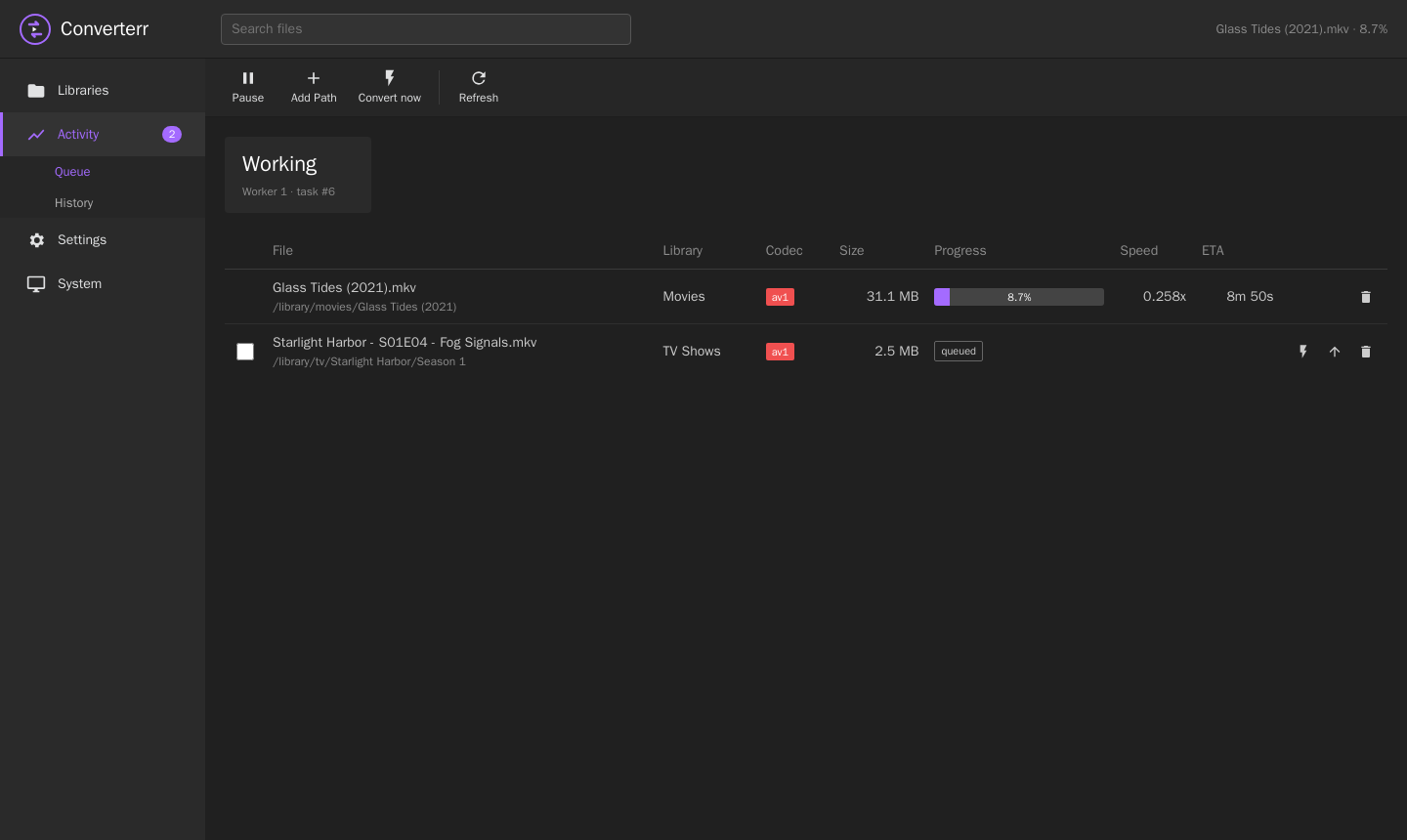
Converterr activity queue

Why Converterr

Your TV plays HEVC and H.264 fine, but stutters on AV1, VC-1, MPEG-2 or old DivX, and a small server can't transcode those on the fly. Converterr fixes those files once and leaves everything else alone.

Rules, not guesswork

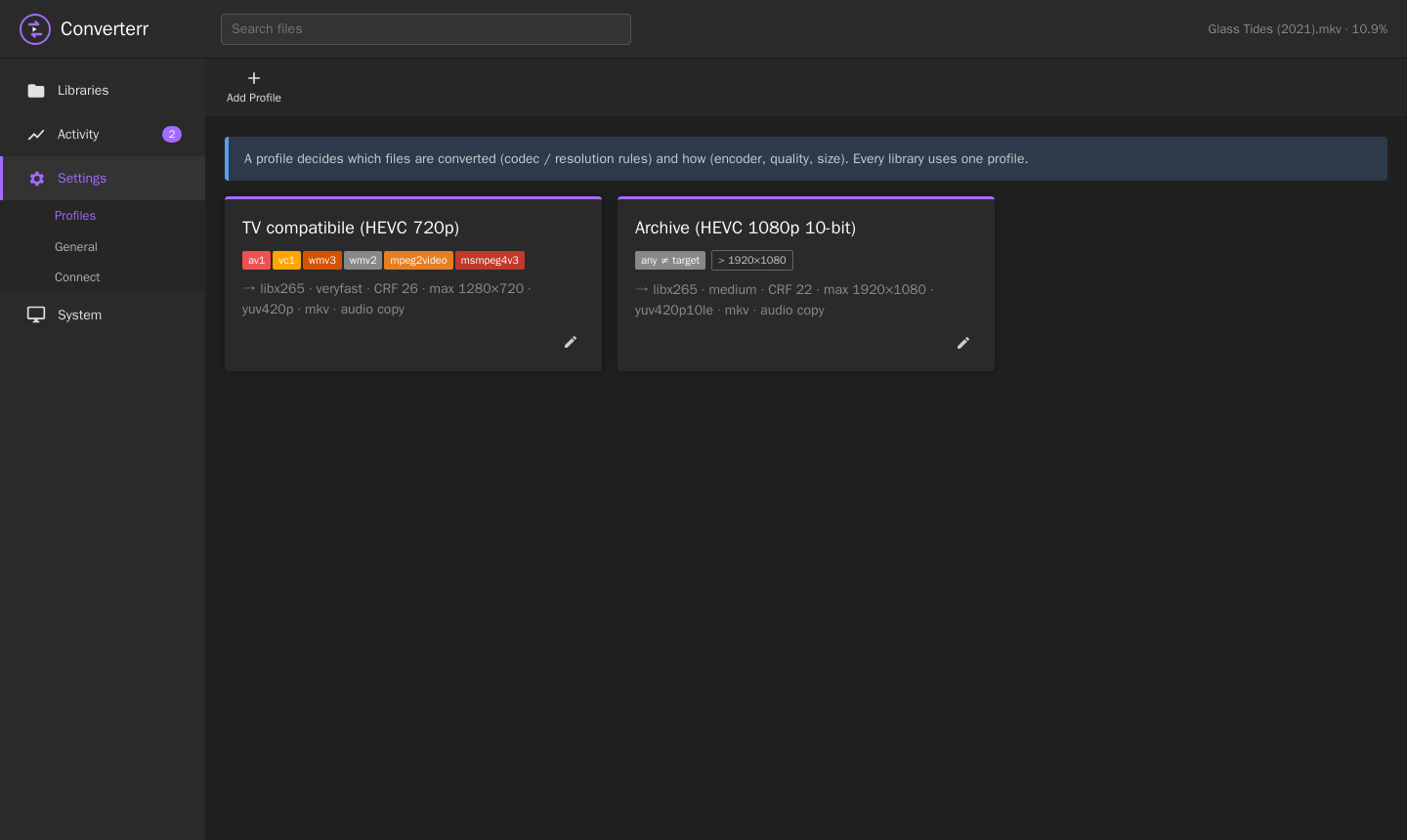
A profile lists the source codecs to convert (e.g. av1,vc1,mpeg2video) and optionally a maximum resolution. Files already in a good format are never touched.

Safe in-place replace

ffmpeg writes to a cache folder. The original is replaced only after the output is checked with ffprobe and matches the source duration. Optionally the original is kept if the result isn't smaller.

Sonarr & Radarr native

A webhook converts new imports right away. When a conversion finishes, Converterr asks Sonarr/Radarr to rescan the series or movie. Path mapping works per library.

Night-time window

Encode only during off-peak hours. Outside the window, running encodes are suspended, not killed, so a long movie can be finished over several nights.

Convert now

Need a file today? Select one or more files and hit Convert now. They start right away on a dedicated worker, ignoring the window and the queue.

Telegram notifications

Same look as Sonarr/Radarr's Telegram messages: files queued (one summary per scan), conversions done (with the space saved), failures.

Fast on a Raspberry Pi

The Docker image ships Debian's ffmpeg, whose x265 has NEON assembly on arm64: about 3.5× faster than "noasm" builds (0.21× vs 0.06× realtime for 1080p AV1 → 720p HEVC on a Pi 4).

HDR aware

When an HDR source is encoded to 8-bit, Converterr tone-maps it to SDR automatically, so colours don't come out washed out.

Tiny and dependency-free

A single Rust binary with an embedded web UI and a SQLite database. Scans are incremental (probe results are cached by size and mtime). REST API with X-Api-Key, like the *arr apps.

Screenshots

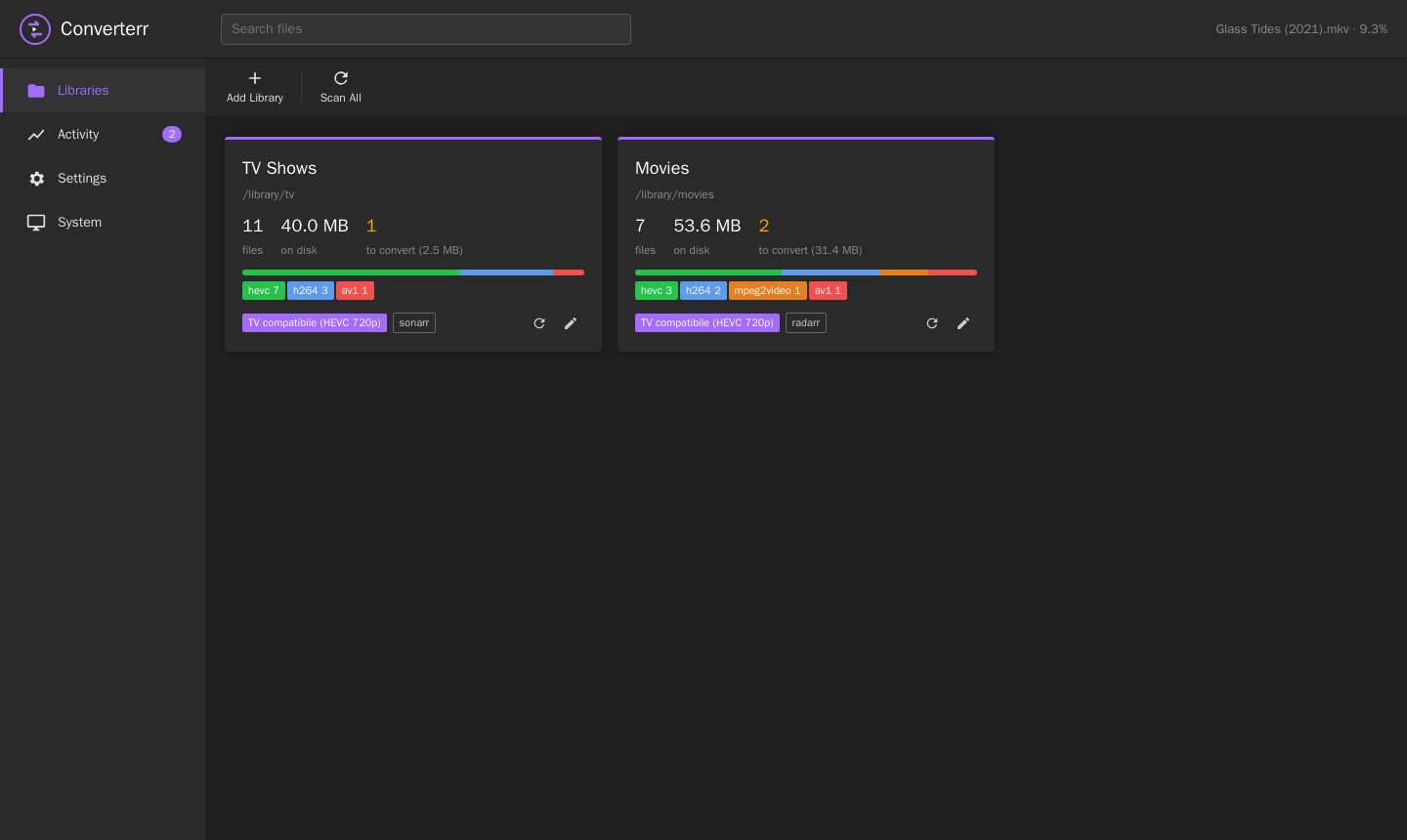
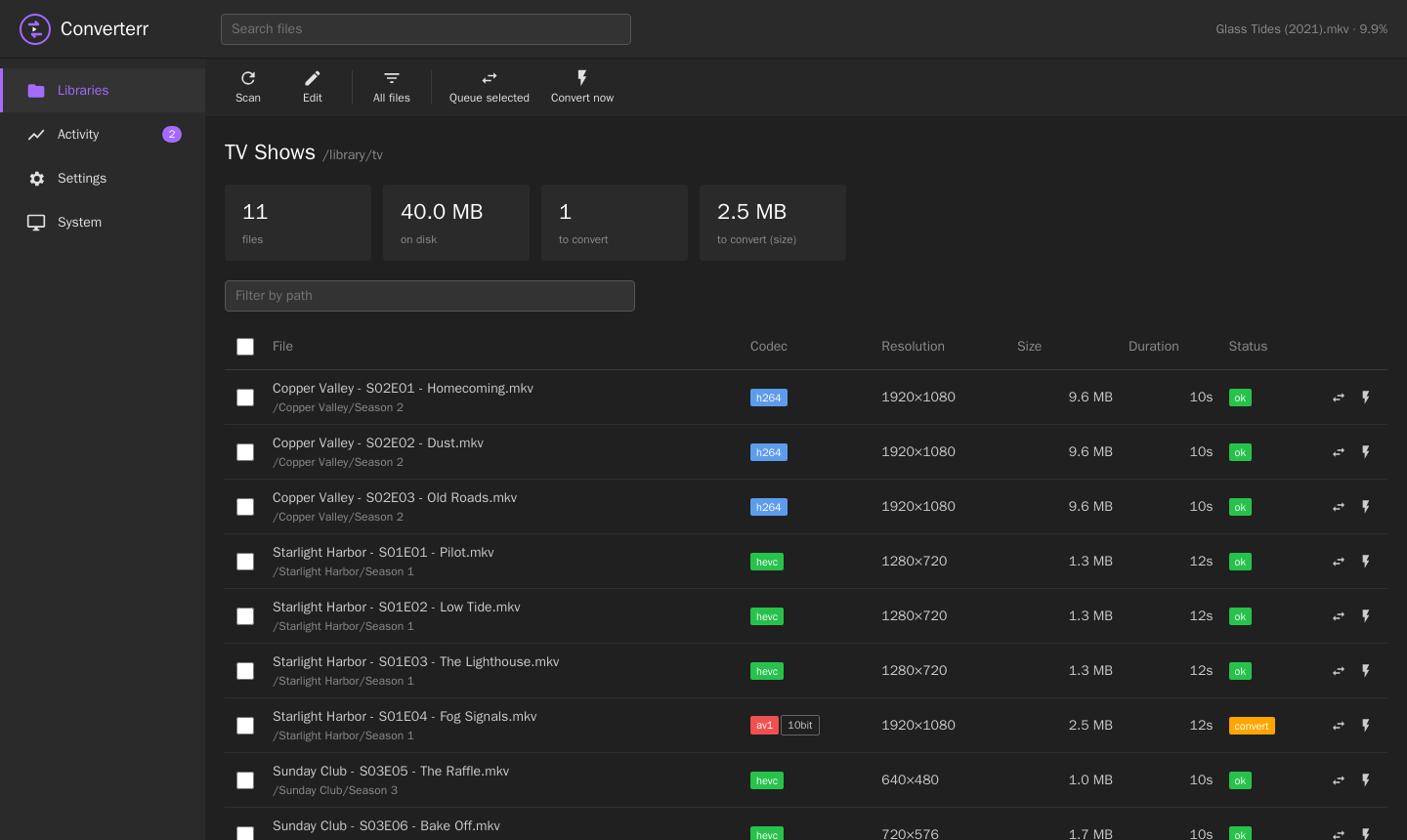
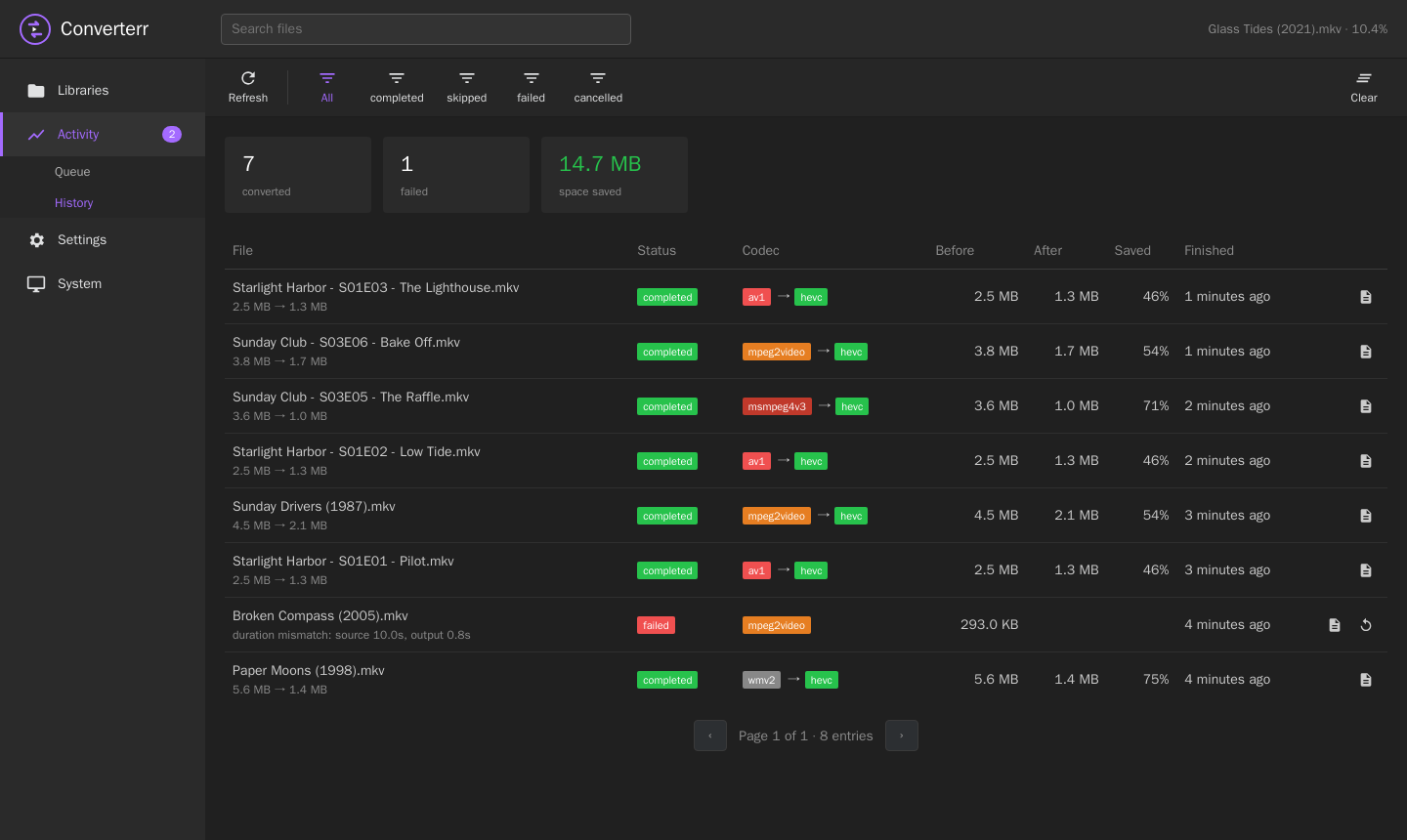
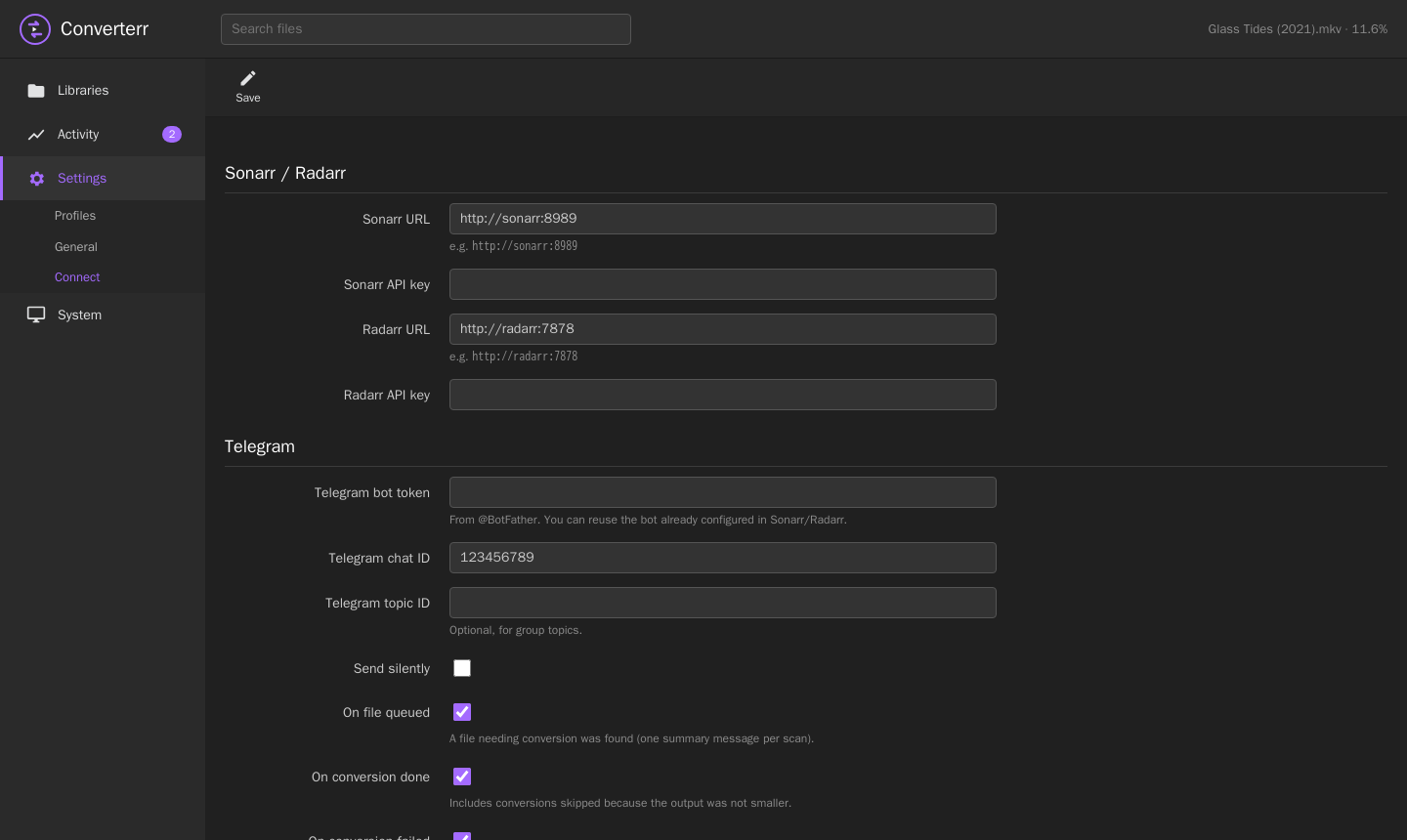
The UI follows the *arr family: sidebar, icon toolbar, dark theme.

Install

Docker is the easiest way. The image is multi-arch (amd64 and arm64).

services:
  converterr:
    image: ghcr.io/teopost/converterr:latest
    container_name: converterr
    user: "1000:1000"               # owner of your media files
    environment:
      - TZ=Europe/Rome              # the time window uses this timezone
    volumes:
      - ./config:/config            # database
      - ./cache:/cache              # ffmpeg scratch space (room for one output per worker)
      - /mnt/media/tv:/library/tv
      - /mnt/media/movies:/library/movies
    ports:
      - 8787:8787
    cpus: "3.0"                     # leave a core for your media server
    restart: unless-stopped

Open http://<host>:8787, then:

  1. Settings → Profiles: check the default profile. It converts AV1/VC-1/WMV/MPEG-2/DivX3 to HEVC 720p 8-bit, CRF 26.
  2. Libraries → Add Library: pick a folder and a profile, and choose whether to notify Sonarr or Radarr.
  3. Click Scan. Files that need converting show up in Activity → Queue.

Build from source

git clone https://github.com/teopost/converterr
cd converterr
docker build -t converterr .          # or: cargo build --release (needs ffmpeg/ffprobe in PATH)

Sonarr & Radarr integration

Two links, one in each direction.

Sonarr/Radarr imports a file→ webhook to Converterr→ ffprobe + profile rules→ queue → convert (in the time window)→ RescanSeries / RescanMovie

1. Webhook: convert right after import

In Sonarr or Radarr go to Settings → Connect → + → Webhook, enable On Import and On Upgrade, method POST, and use the URL shown on Converterr's Settings → Connect page:

http://converterr:8787/api/v1/webhook?apikey=<your api key>

Converterr probes the imported file and queues it only if the library's profile says so. A daily scan (optional) catches anything the webhook missed.

2. Rescan after conversion

Fill in the Sonarr/Radarr URL and API key on Settings → Connect and set Notify on each library. After a conversion, Converterr finds the series or movie that owns the file and triggers a rescan, so the *arr app picks up the new codec, size and extension.

Path mapping

Containers often mount the same folder at different paths. Set the library's Sonarr/Radarr path to the folder as Sonarr/Radarr sees it:

Converterr library pathSonarr/Radarr pathExample file
/library/tv/tv/tv/Show/Season 1/Show - S01E01.mkv
/library/movies/movies/movies/Film (2020)/Film (2020).mkv
Use one library per Radarr root folder so that every movie path can be mapped.

Documentation

Profiles

SettingMeaning
Convert these codecsComma separated ffprobe codec names. Common ones: av1, vc1, wmv3, wmv2, mpeg2video, msmpeg4v3 (DivX 3), mpeg4 (Xvid/DivX). Empty = convert every file whose codec differs from the target.
Convert oversized filesAlso convert files larger than the max width × height, whatever their codec.
Max width / heightDownscale to fit, keeping the aspect ratio. Smaller files are never upscaled. 0 = no limit.
Encoder, preset, CRFlibx265, libx264 or libsvtav1. Lower CRF = better quality and bigger files.
Pixel format8-bit (yuv420p) for maximum compatibility, 10-bit, or keep the source. 8-bit output from HDR sources is tone-mapped.
Container / audioMKV keeps every audio, subtitle and attachment stream; MP4 drops subtitles. Audio can be copied or re-encoded to AAC/AC3.
Keep original if not smallerDiscard the output when it isn't smaller than the source.
Extra ffmpeg argumentsAppended before the output file, e.g. -threads 3.

Workers, time window and "Convert now"

Telegram notifications

On Settings → Connect enter a bot token (from @BotFather) and your chat id. You can reuse the bot you already use for Sonarr/Radarr. Each event can be switched on or off:

EventMessage
File(s) queuedFile name, codec, resolution, size and reason. A scan sends one summary message instead of one message per file.
Conversion doneCodec and resolution before → after, size before → after and the percentage saved.
Conversion failedFile name and the error.

Settings and environment

VariableDefaultMeaning
CONVERTERR_DATA/configFolder holding converterr.db
CONVERTERR_PORT8787HTTP port
CONVERTERR_BIND0.0.0.0Bind address
TZUTCTimezone used by the time window
RUST_LOGinfoLog level

Everything else is set in the web UI: workers, time window, scan interval, cache folder, API key, optional UI password (HTTP Basic), Sonarr/Radarr and Telegram.

How a conversion works

  1. The file is probed. Its first real video stream is encoded; every audio, subtitle and attachment stream is copied as-is.
  2. The output is written to /cache/task-<id>/ and checked with ffprobe: it must be readable and match the source duration.
  3. It is copied next to the original as a hidden temp file and atomically renamed over it. If the extension changes (e.g. .avi → .mkv) the original is deleted. An existing file with the target name is never overwritten.
  4. Sonarr/Radarr is told to rescan, and a Telegram message is sent.

FAQ

Is it related to Unmanic? It was inspired by it, but Converterr is a separate project written from scratch in Rust. Every feature is free and there are no accounts.

Hardware encoding? Not built in yet. You can pass encoder options through Extra ffmpeg arguments, but software x265 is the safe default. Some ARM v4l2 encoders are unstable.

Will it re-convert a file it already converted? No. After a conversion the file is HEVC, so the profile rules no longer match it. Failed, skipped and cancelled files are not re-queued automatically. Use Retry in History.

REST API

All endpoints live under /api/v1 and require the API key, sent as the X-Api-Key header or as ?apikey=.

MethodPathDescription
GET/system/statusVersion, ffmpeg version, statistics
GET / PUT/settingsRead or replace the settings
GET POST / PUT DELETE/profile, /profile/{id}Profiles
GET POST / PUT DELETE/library, /library/{id}Libraries (with statistics)
POST/library/scan, /library/{id}/scanStart a scan
GET/library/{id}/files?toConvert=true&search=&page=Probed files
GET/queueQueued and running tasks
POST/queue{"paths": ["..."], "force": true}: queue files or folders, optionally converting now
POST/queue/force{"ids": [1, 2]}: convert queued tasks now
POST / DELETE/queue/{id}/top, /queue/{id}Move to top, cancel/remove
GET / DELETE/history?status=&page=History, clear history
POST/history/{id}/retryQueue a finished task again
GET/task/{id}/logffmpeg command line and output
GET / POST/workers, /workers/pause, /workers/resumeWorker state, pause switch
POST/webhookSonarr/Radarr webhook receiver
POST/test/arr, /test/telegramConnection tests